Using the dashboard
This guide is for after AIO is installed and you can open the web UI.
Goal
Finish the wizard for the apps you need, use Home day to day, and use Open UI on Catalog whenever you want that tool’s screen.
Default address on your home network:
http://YOUR-SERVER-IP:8080
Replace the IP (and port, if you changed it).
First time
- Create the admin account when prompted (username, email, password).
- Finish the first-run wizard: the apps you want, a Usenet server if you use one, optional VPN, and an optional Cloudflare Tunnel. The wizard installs that selection. The tunnel and the VPN start as soon as it finishes, when you turned them on.
- After a container recreate, the dashboard answers while apps are still starting. With VPN on, qBittorrent, Prowlarr, and Flaresolverr wait until the WireGuard handshake is up (AIO retries the VPN if the first try fails). Cloudflare Tunnel starts last, after the apps answer, so cloudflared does not log connection refused against origins that are not listening yet.
- Wait until Catalog shows those apps as running. Use Open UI for anything that still has its own account (Plex, Jellyfin, NZBGet).
- Add more later from Catalog. You do not need every app.
Start small (for example Radarr + one download client + Jellyfin), then add the rest.
Home
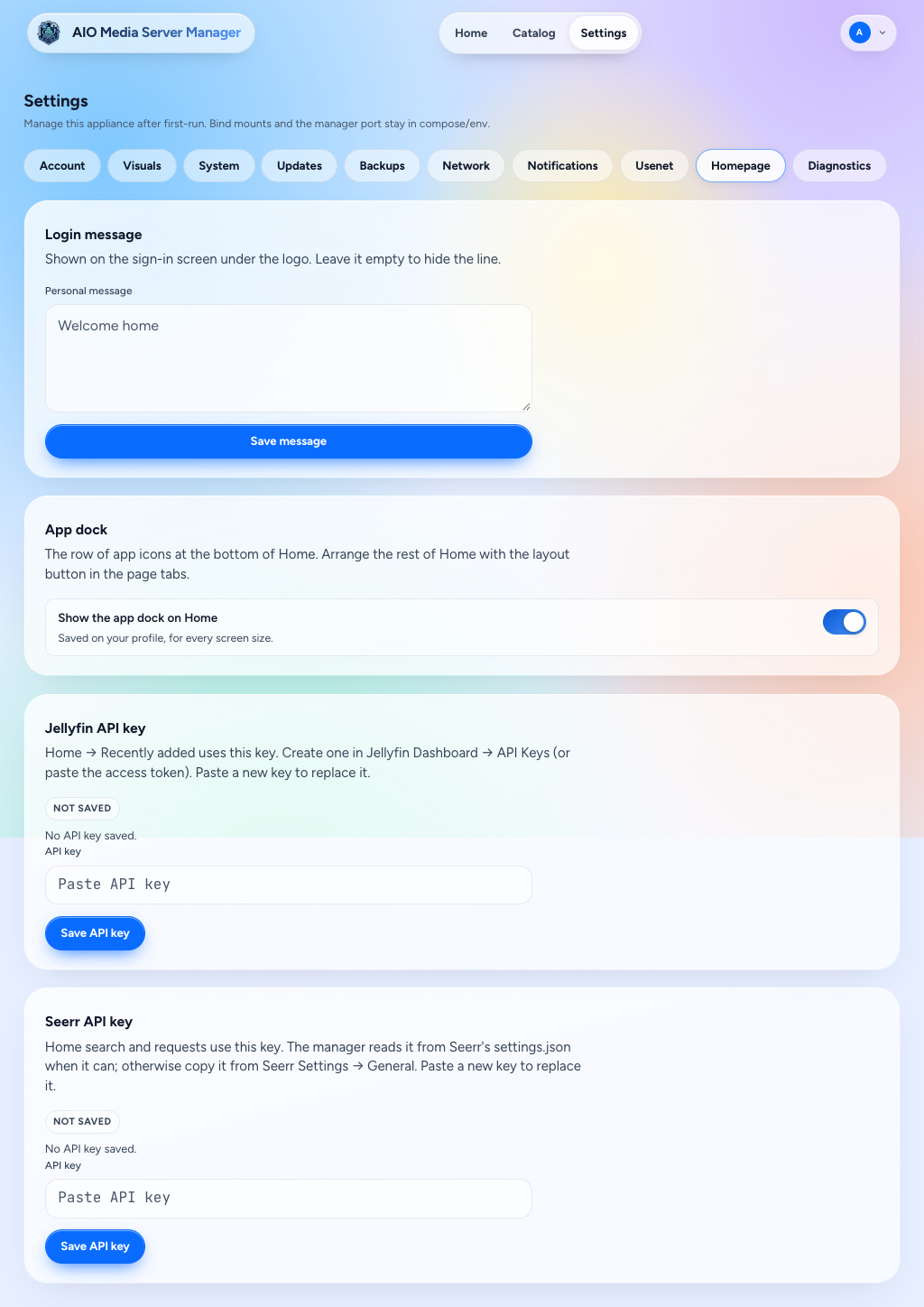
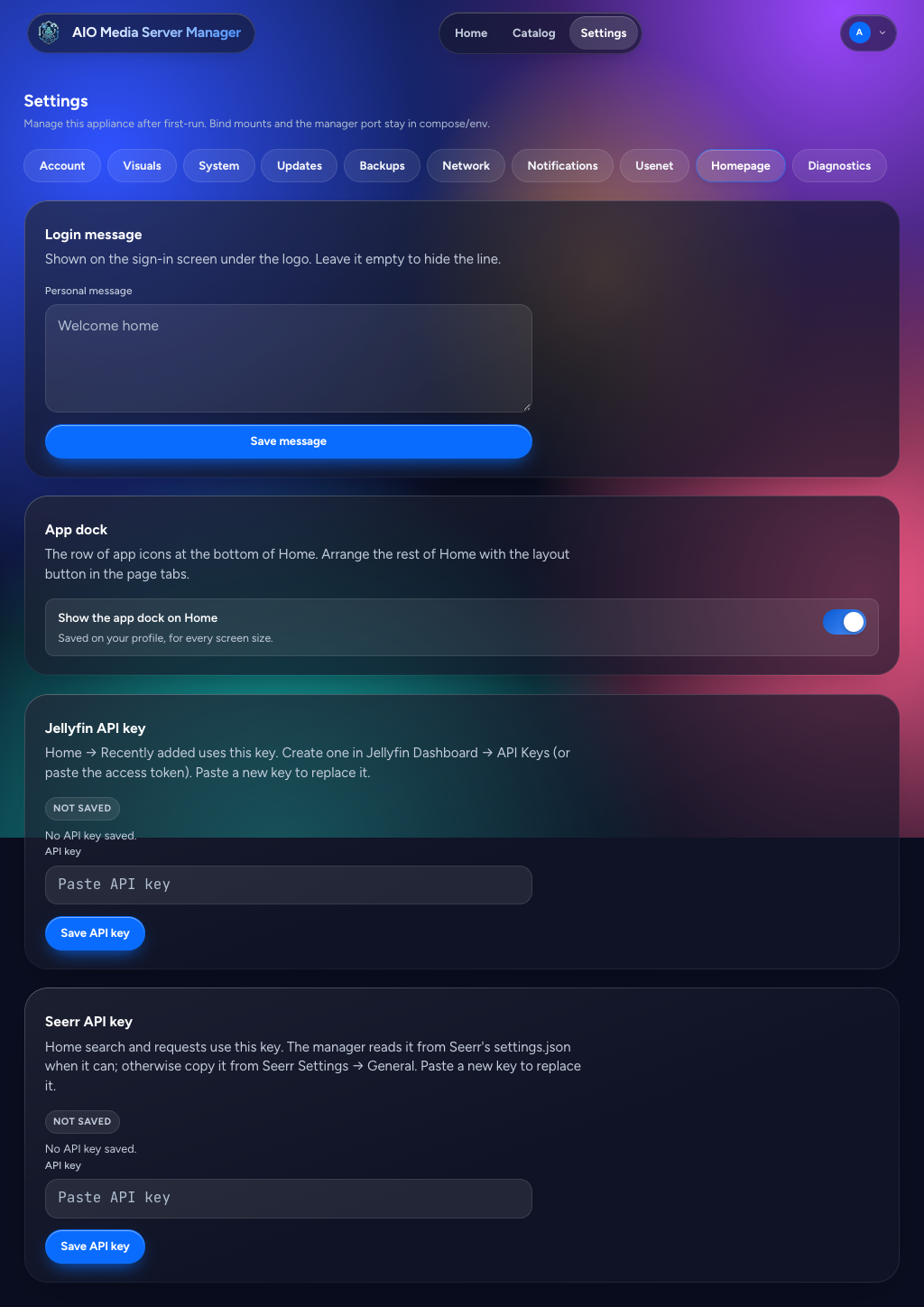
Home is a grid. Phone, tablet, and desktop each keep their own layout (4, 8, and 12 columns). The layout control on the Home tab moves, resizes, adds, and removes widgets. Settings → Homepage shows or hides the app dock, sets the sign-in message, and holds a Jellyfin or Seerr API key when Home cannot read one itself.
| Widget | What it shows |
|---|---|
| Greeting | Time of day |
| Search | Seerr search |
| Calendar | Upcoming episodes and movies. A season that lands on one day is one entry |
| Downloading | Active downloads, with pause all / resume all. Stuck items can be removed |
| Recently added | New shows and movies. Scrolling loads further Jellyfin pages. Plex stays on its latest 20 |
| Requests | Seerr requests that are not finished, plus ones marked available or declined in the last 30 days |
| Trending | Seerr's trending list. Scrolling keeps loading |
| Now playing | Who is watching on Jellyfin or Plex, including direct play |
| Storage | Disk use for config, downloads, and media |
| Server | CPU, memory, and network. With host /sys mounted at /host/sys, this is the server's network cards. Without that mount it is only this container's traffic |
| Needs attention | The same checks as Settings → Notifications, with a link to fix each one |
| Other downloads | Off by default; add it from the layout control. What SABnzbd, NZBGet, and qBittorrent downloaded that is not a film or series (music, books, games, software, archives), each with an icon for its kind |
Install, start, stop, and Open UI live on Catalog. The dock at the bottom of Home opens apps that are already installed.
LAN Open UI usually looks like http://YOUR-SERVER-IP:8989 (example for Sonarr).
If you set up Cloudflare public hostnames, Open UI can instead use https://sonarr.yourdomain.com — see Cloudflare Tunnel.
What the wizard wires
After an app is healthy — or when you click Auto-Wire — AIO sets download folders and categories, root folders and download clients in Sonarr, Radarr, and Lidarr, Prowlarr sync, Seerr, Bazarr pairing, and starter configs for Recyclarr and NeutArr. Settings → Usenet holds the news server and sends it to SABnzbd and NZBGet. Prowlarr also gets a starter set of public indexers. Remove any you do not want; they are not added back.
Keep downloads and media on the same volume so completed files can hardlink.
Still yours to finish:
- A Plex account.
- NeutArr's first-run setup token (below), until that account exists.
- Signing in to Jellyfin and NZBGet. On the LAN, Open UI already signs in Sonarr, Radarr, Lidarr, Prowlarr, qBittorrent, SABnzbd, Bazarr, and Seerr as the manager admin. Public hostnames always show the app's own login.
- Seerr's admin and first-run wizard are completed for you from that shared login (through Jellyfin, or a claimed Plex).
VPN, Cloudflare Tunnel, Recyclarr, NeutArr, and backups are optional.
NeutArr first-run setup token
The first time NeutArr starts, before it has an account, it asks for a one-time setup token.
- Wait until NeutArr shows as running.
- Open Catalog → NeutArr → Settings.
- Copy First-run setup token and paste it into NeutArr's setup screen.
That value is the file /config/neutarr/.setup-token inside the appliance (the host folder mounted as /config). NeutArr deletes the file after the account is created, and the Settings field goes empty. Until NeutArr has started, the field stays empty.
Opening each app’s UI
| Situation | What to use |
|---|---|
| At home on Wi‑Fi | Open UI → http://IP:PORT |
| Away from home with Cloudflare | Open UI → https://subdomain.yourdomain.com |
| You changed an app’s listen port | AIO updates published routes; recreate the container if LAN links still look wrong. The manager port itself is compose/env (AMM_API_PORT), shown on Settings → System |
If Open UI fails:
- Is the app running on Catalog?
- Are you on the same network (for LAN links)?
- For HTTPS links: is the tunnel connected and was Publish successful? (Cloudflare guide)
Settings you will actually use
Names in the UI may be short labels; here is what they mean in practice.
| Section | Why it matters |
|---|---|
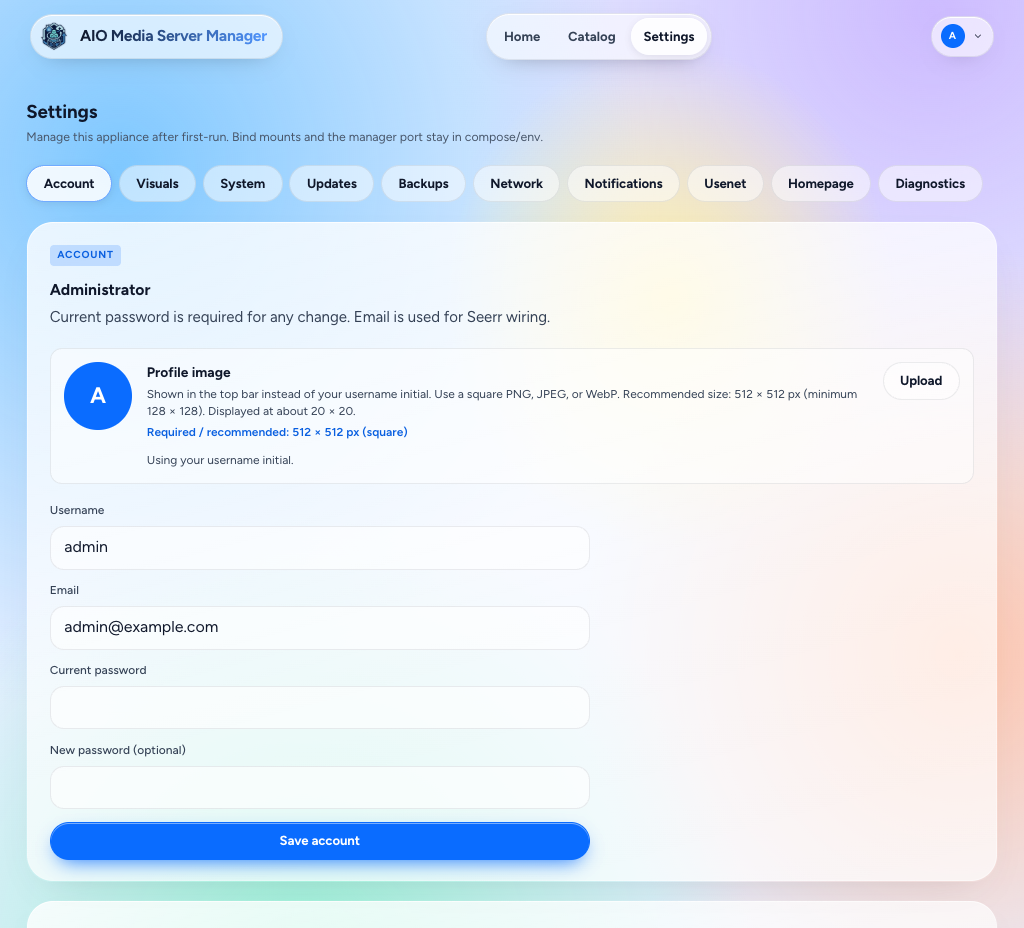
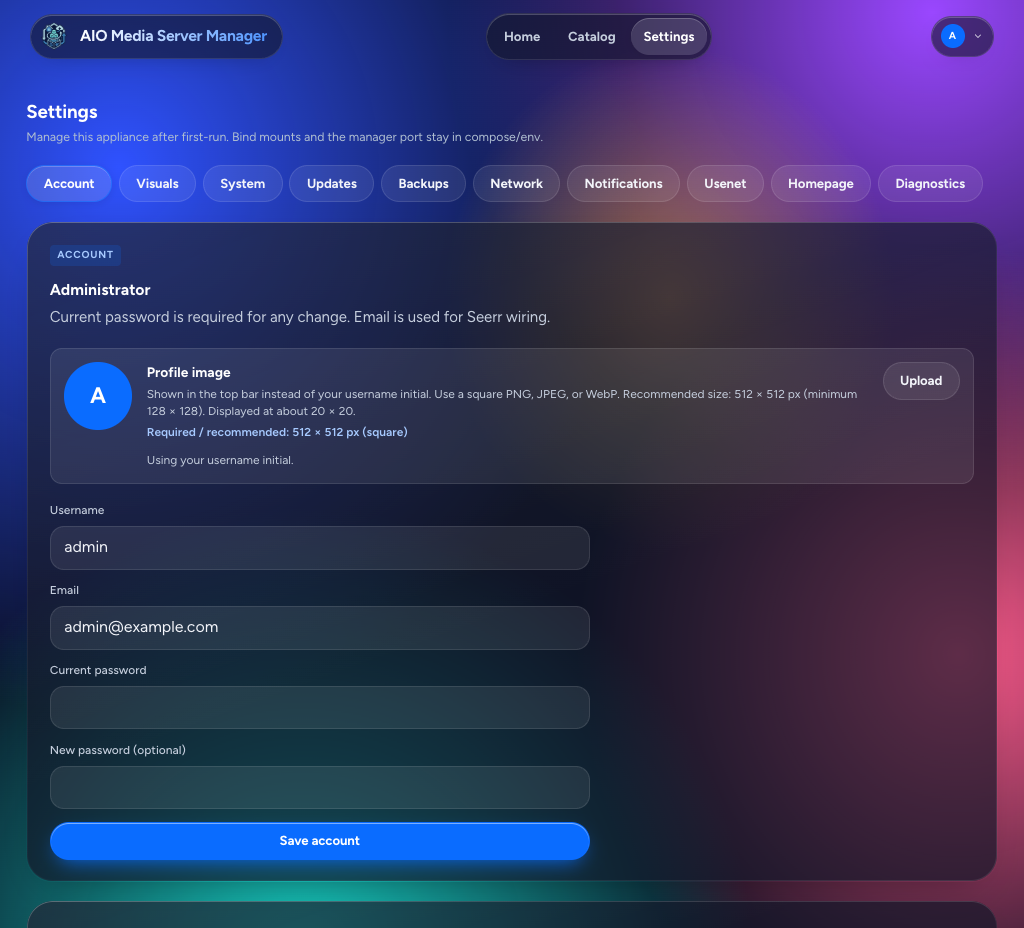
| Account | Admin username, email, and password. Apps that take a local login use the same account |
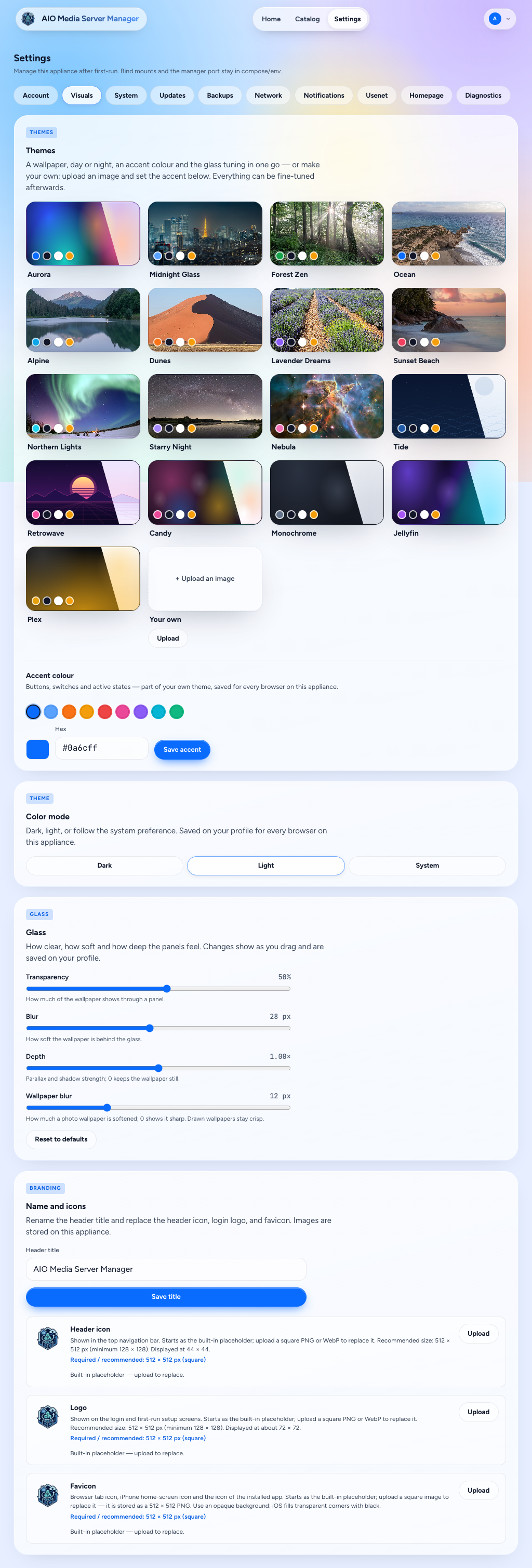
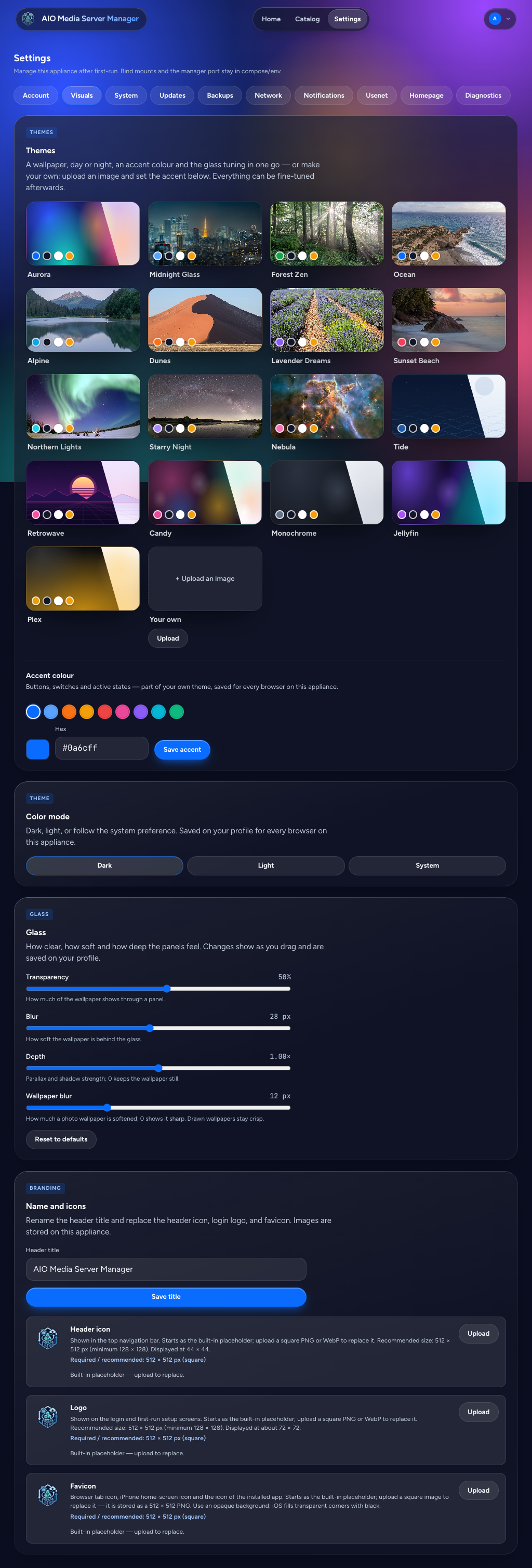
| Visuals | Theme, accent, wallpaper, title, header icon, login logo, and favicon |
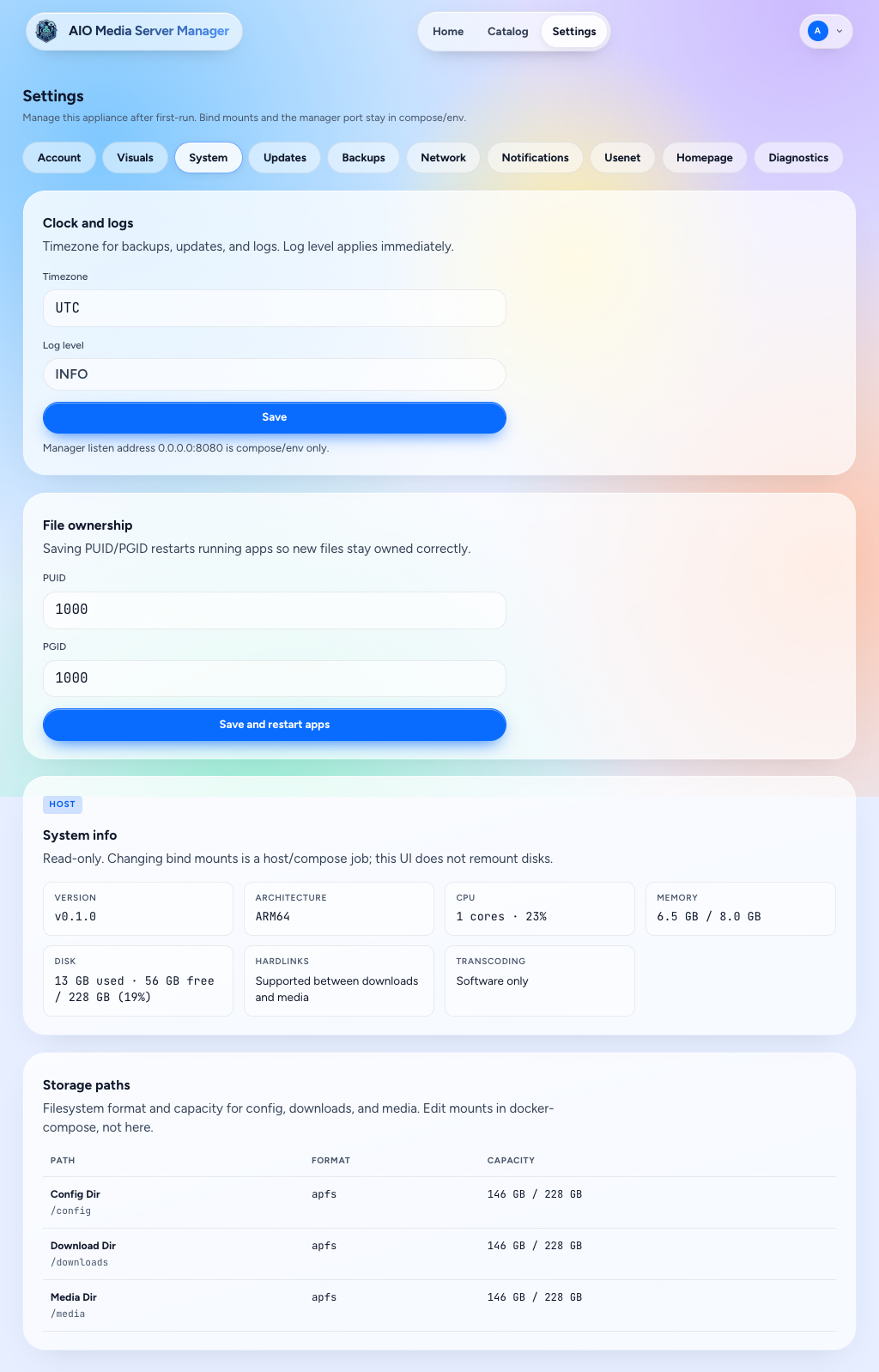
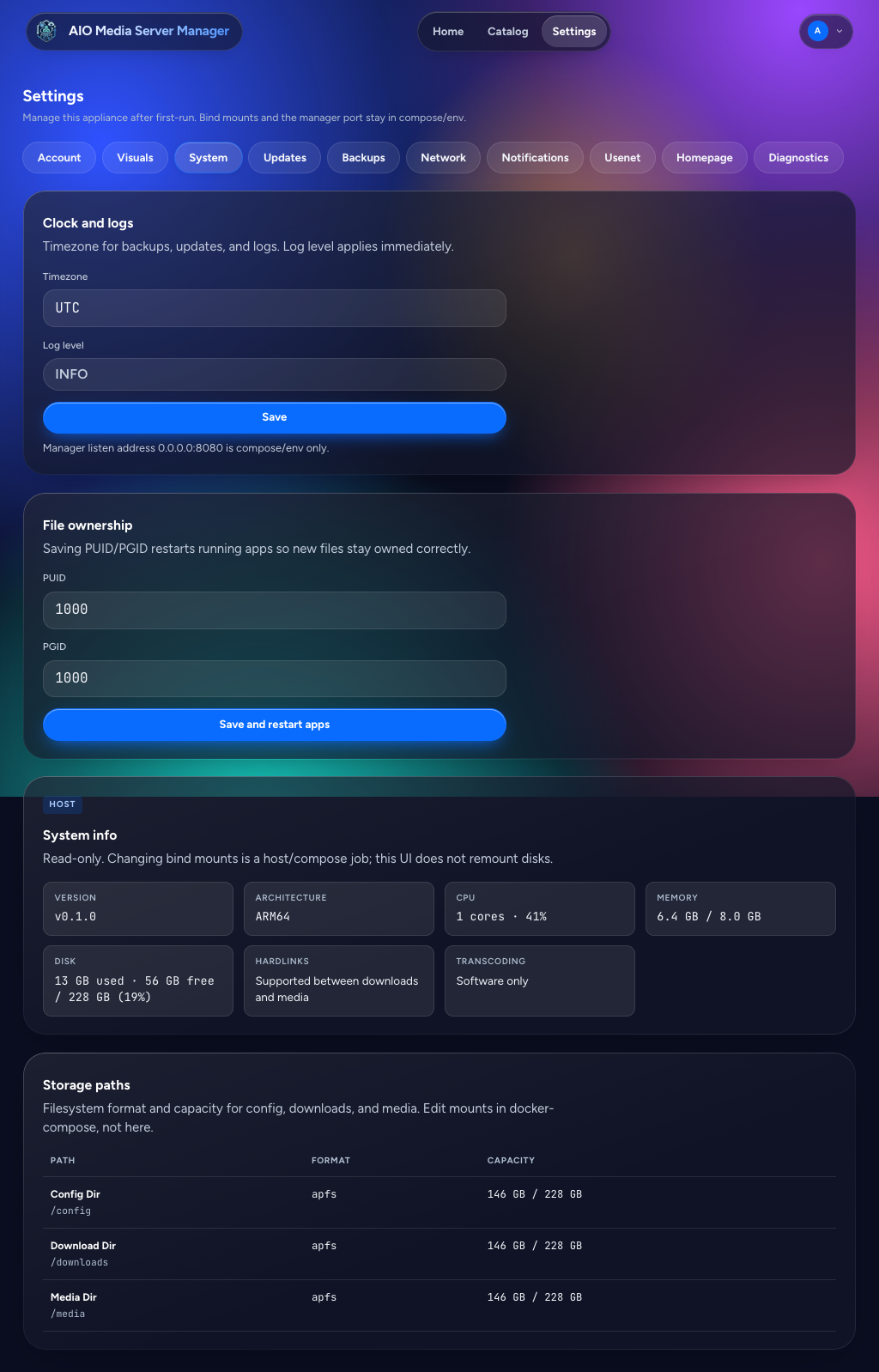
| System | Timezone, log level, PUID/PGID, and the AIO version. Storage paths are shown here; change the mounts in compose, not in this screen. The manager listen port is compose/env only |
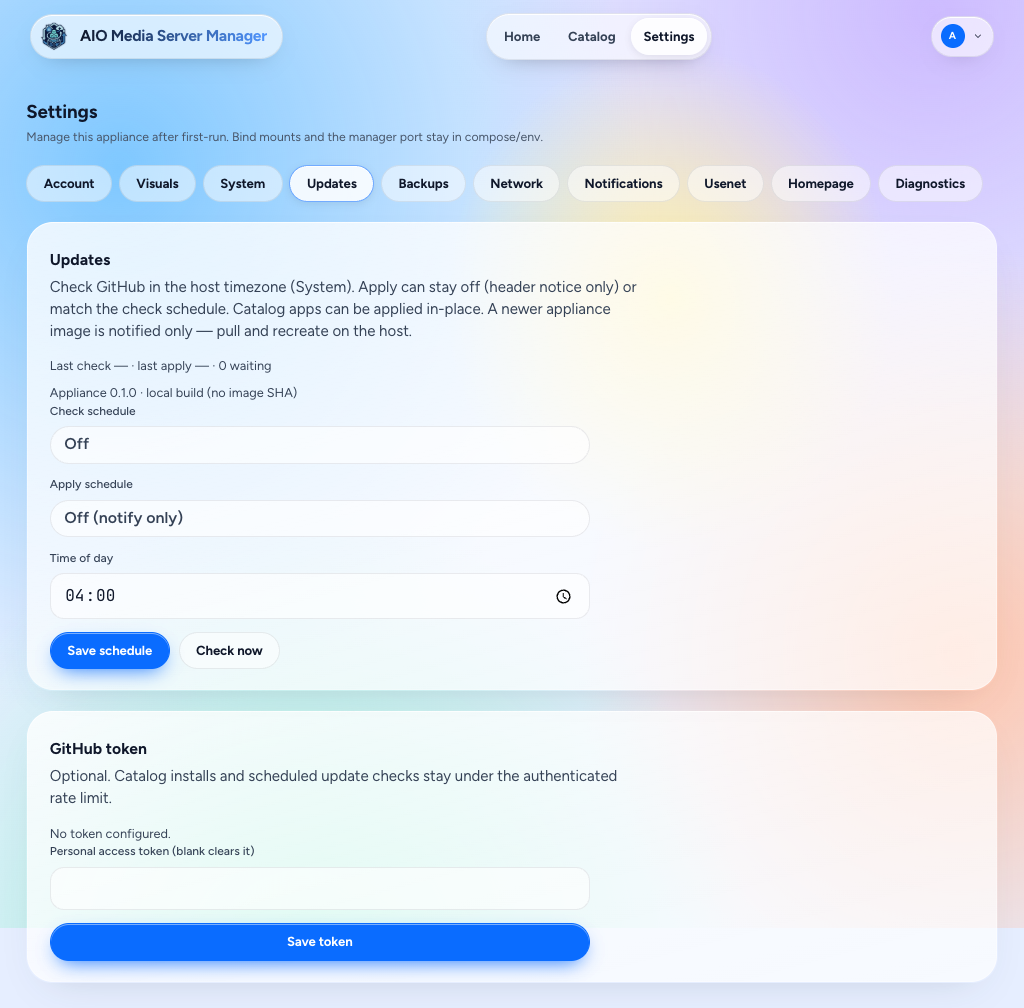
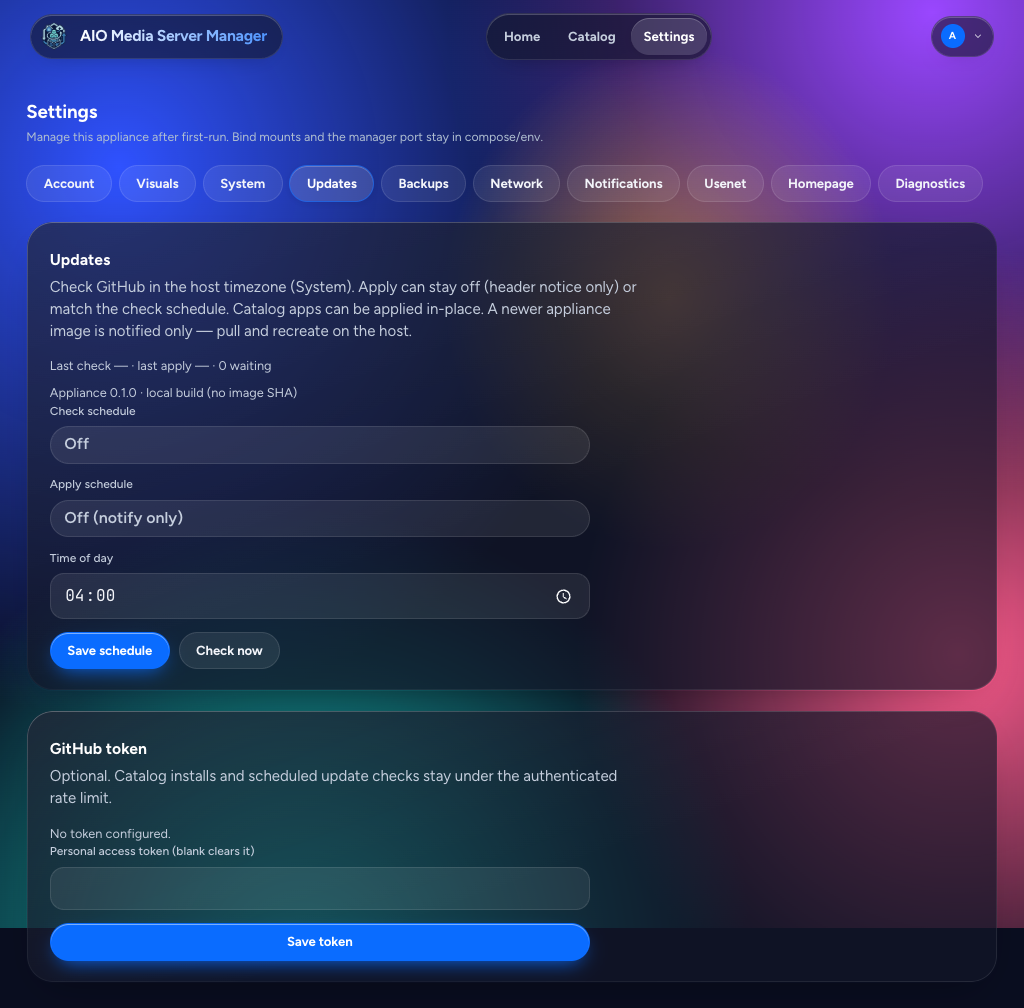
| Updates | Check and apply updates for installed apps, one at a time or all at once. Schedules default to off. A newer AIO image is a notice only — pull and recreate on the host |
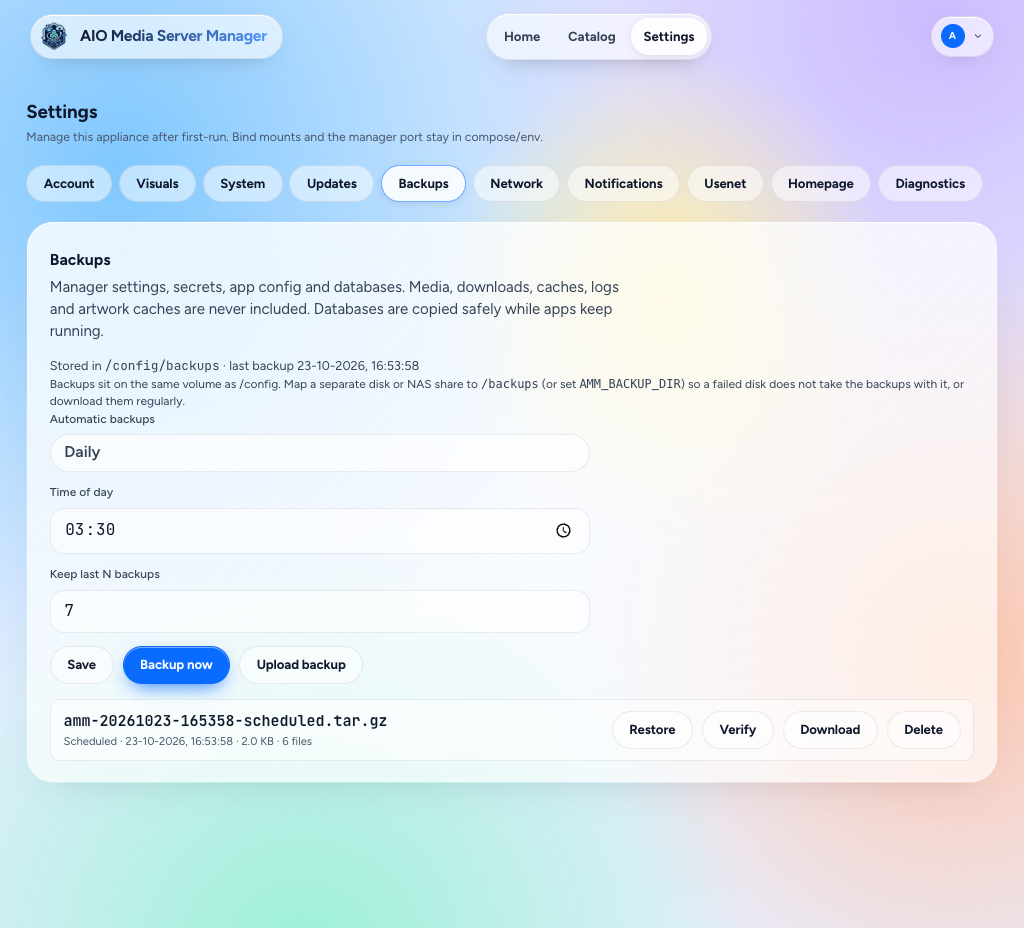
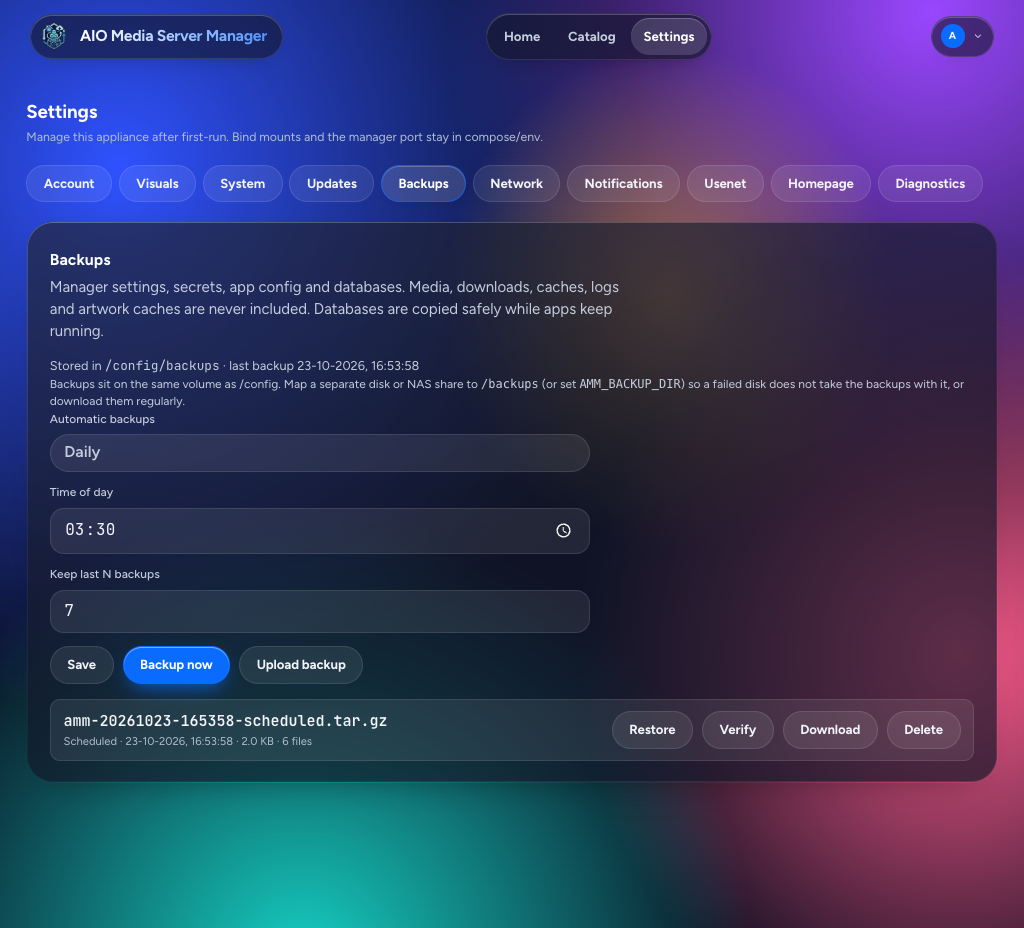
| Backups | Config backup, verify, per-app restore, and a schedule |
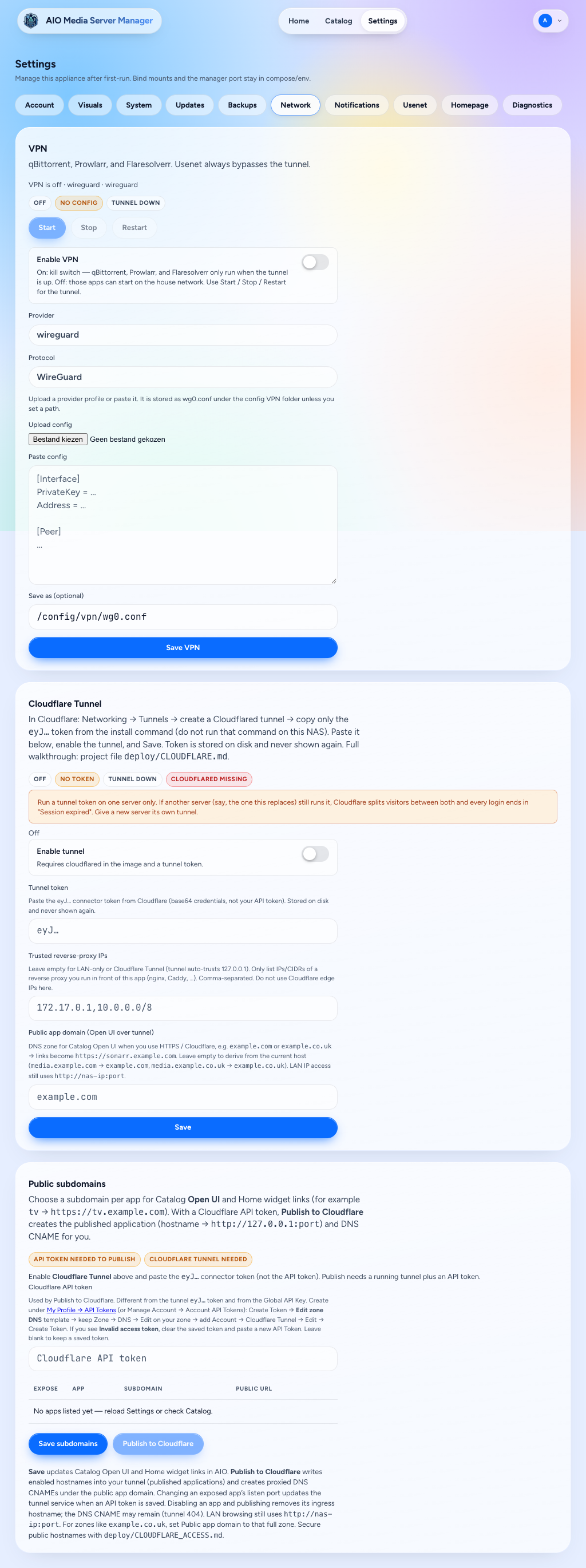
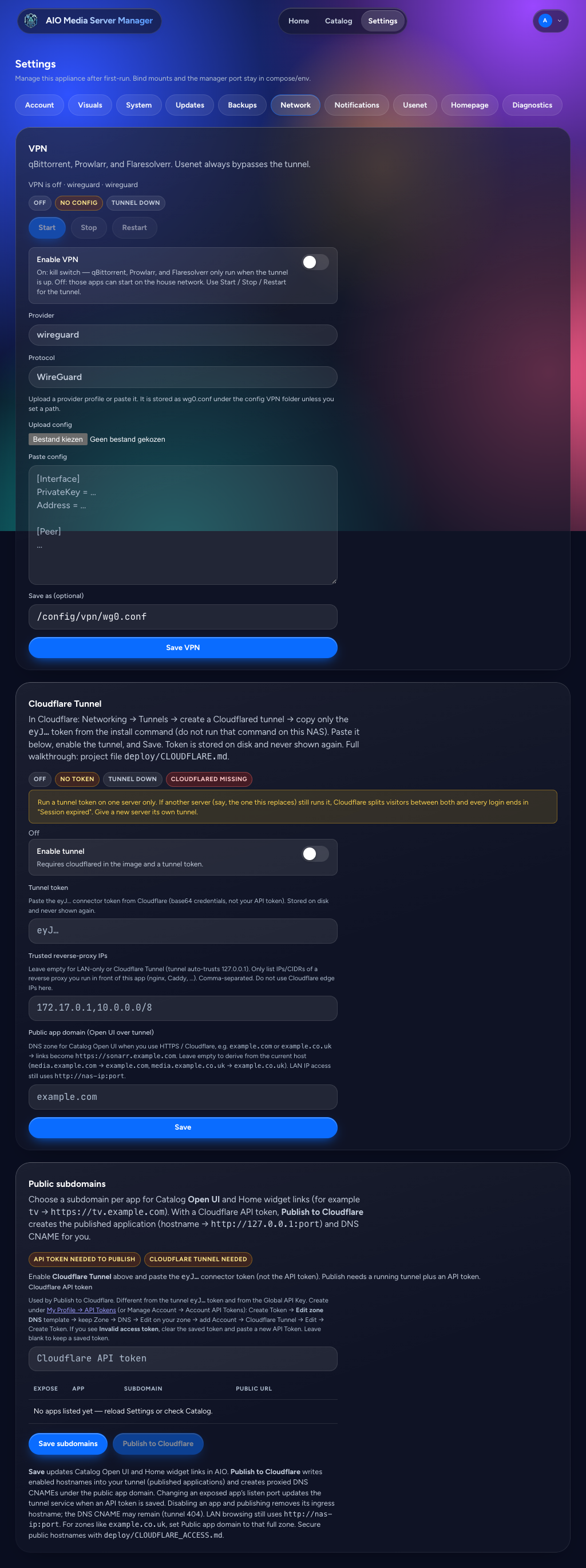
| Network | VPN for qBittorrent, Prowlarr, and Flaresolverr (Usenet stays off it), with a local DNS cache for those apps so short tunnel hiccups do not knock Prowlarr indexers offline; Cloudflare Tunnel (starts after apps on boot); public subdomains; and trusted proxies |
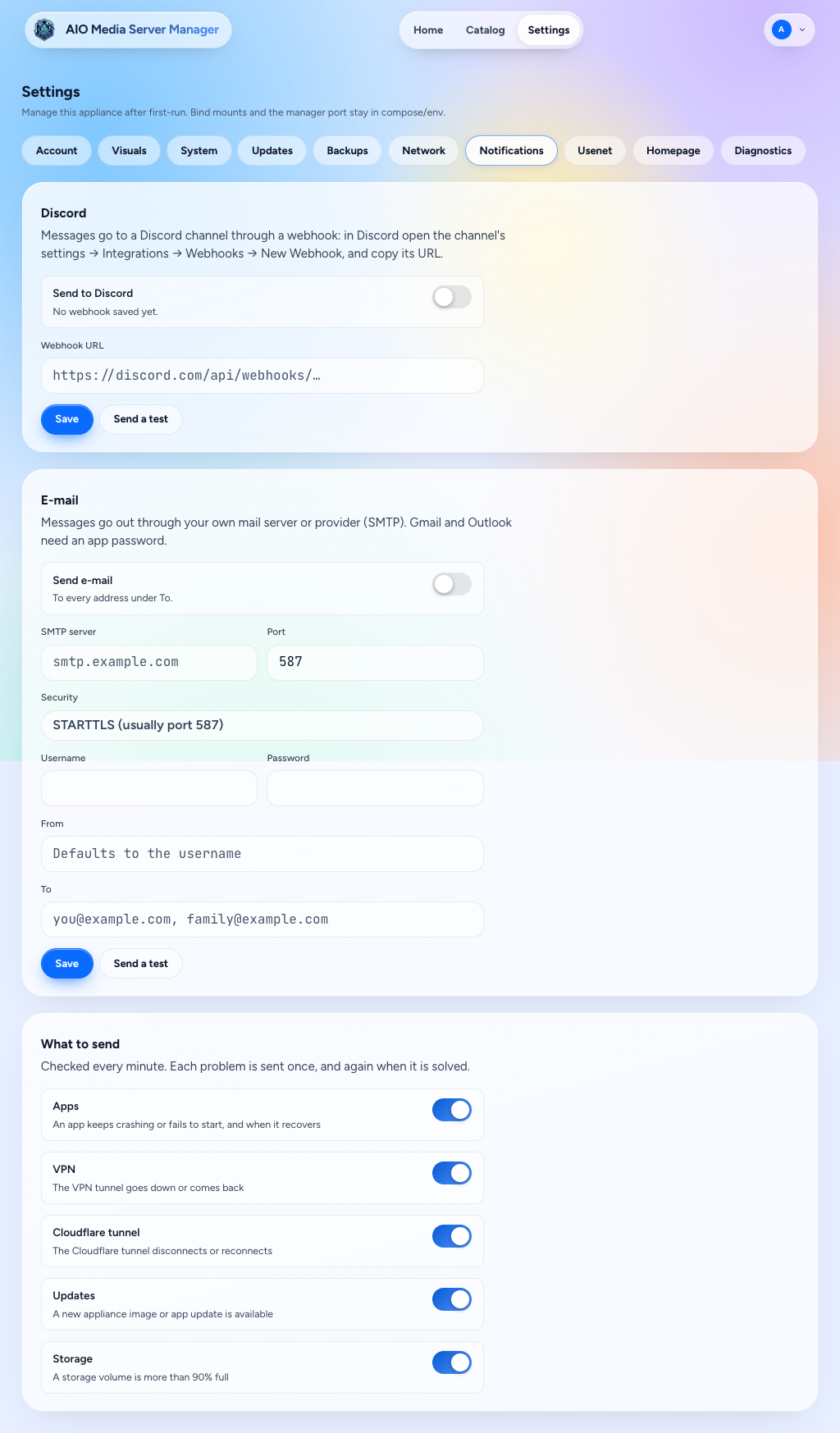
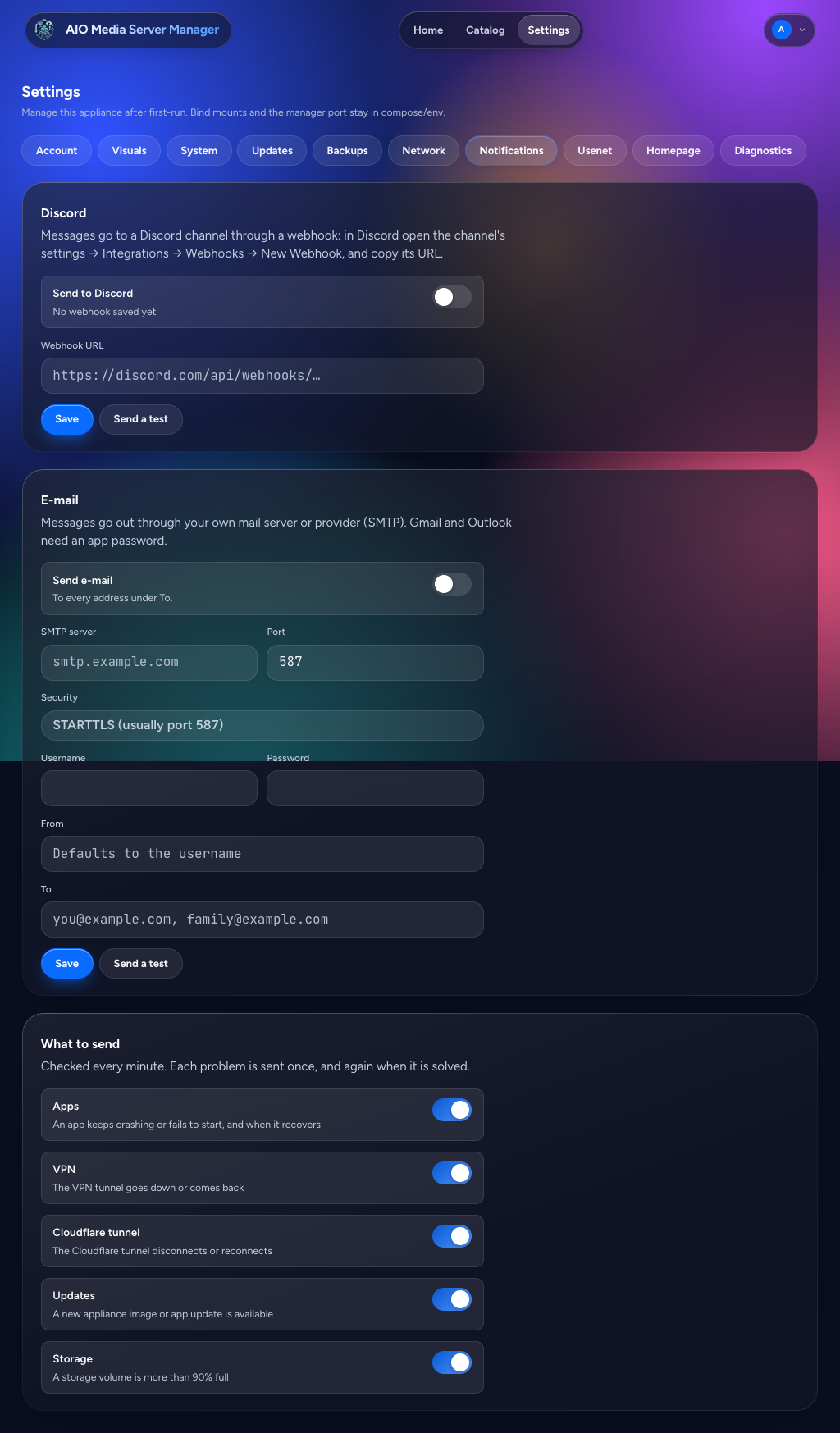
| Notifications | Discord webhook and email when an app crash-loops, the VPN or tunnel drops, an update is available, or a disk passes 90% full |
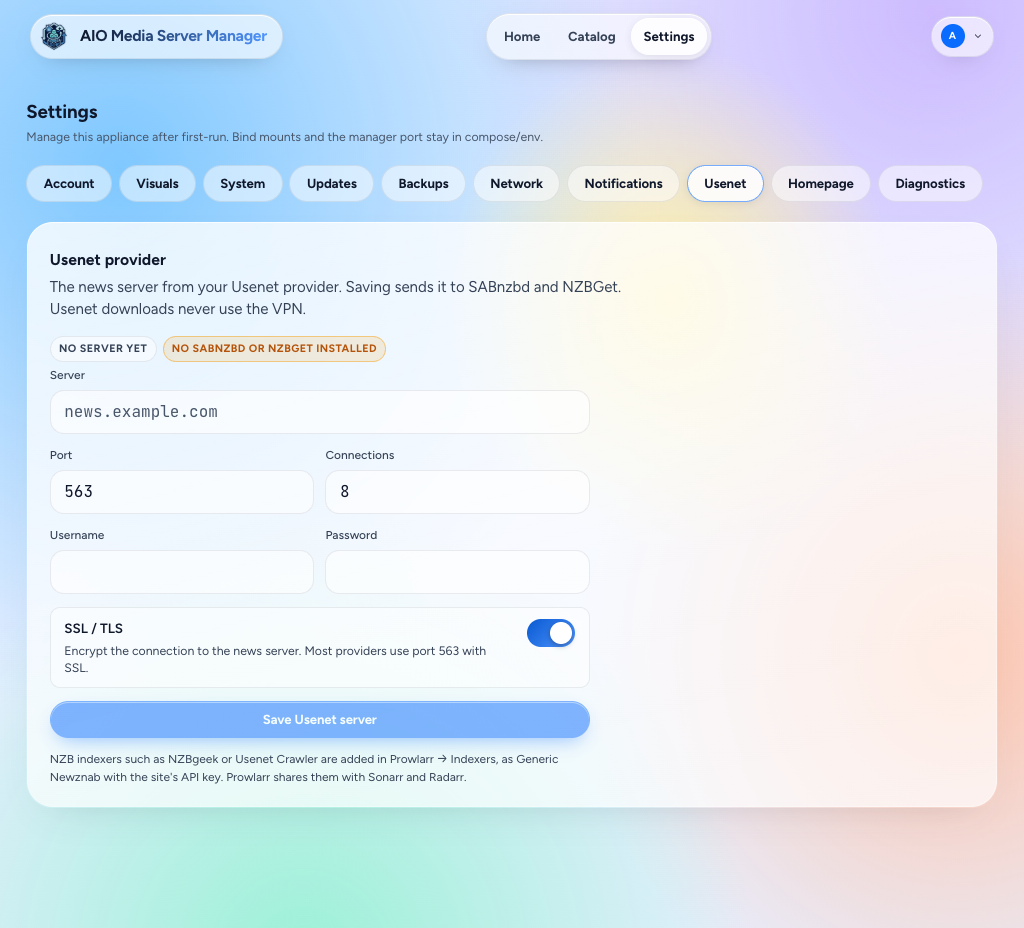
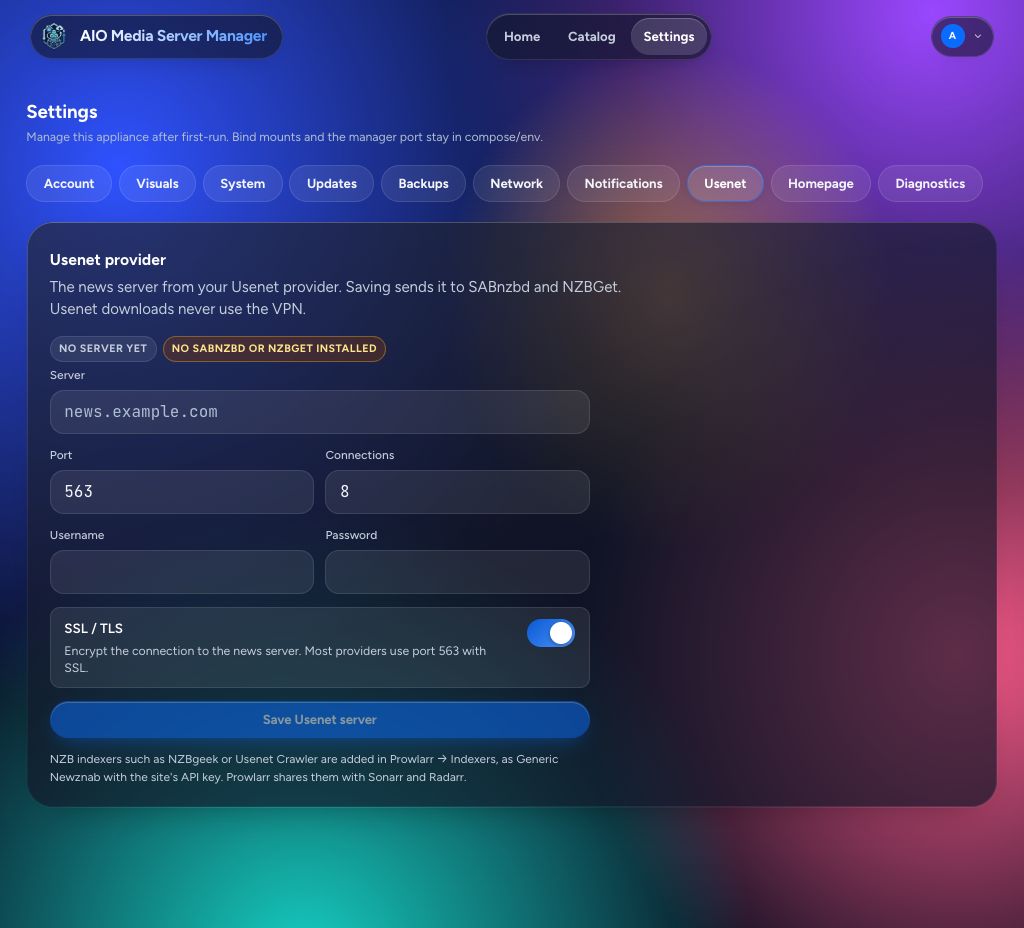
| Usenet | News server (host, port, SSL, login, connections), sent to SABnzbd and NZBGet. NZB indexers are added in Prowlarr |
| Homepage | Sign-in message, app dock, and Jellyfin / Seerr API keys when Home cannot read them |
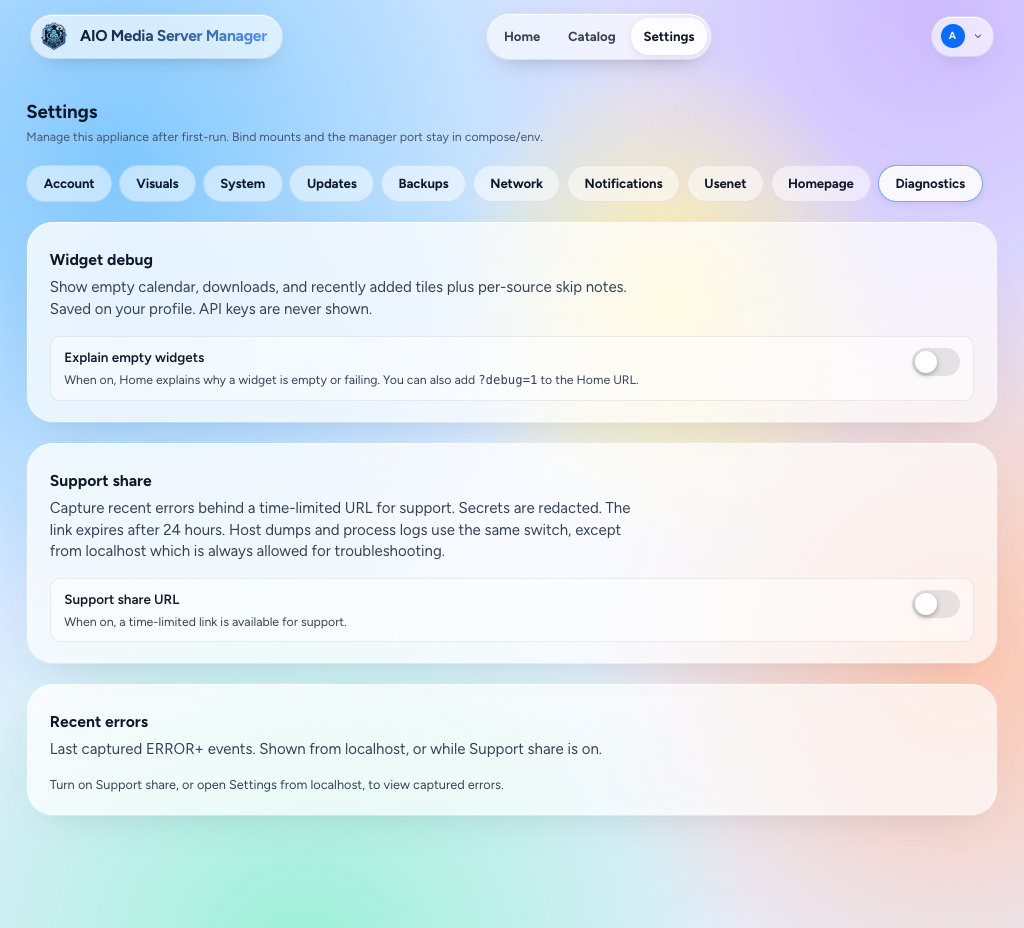
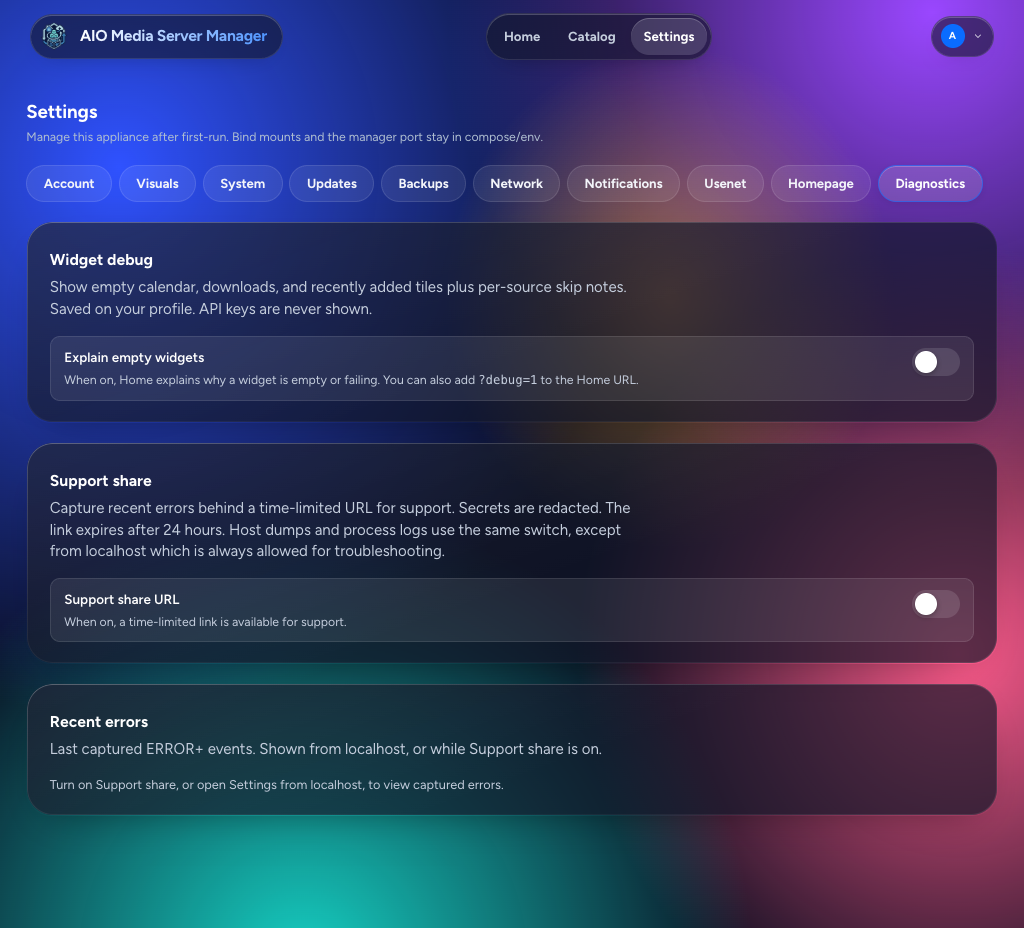
| Diagnostics | Why a Home widget is empty. API keys are never shown. Support share is temporary remote help — leave it off unless you are debugging with someone you trust |
After changing important network or port settings, give apps a moment to reload — or restart AIO if links still look stale.
Screens
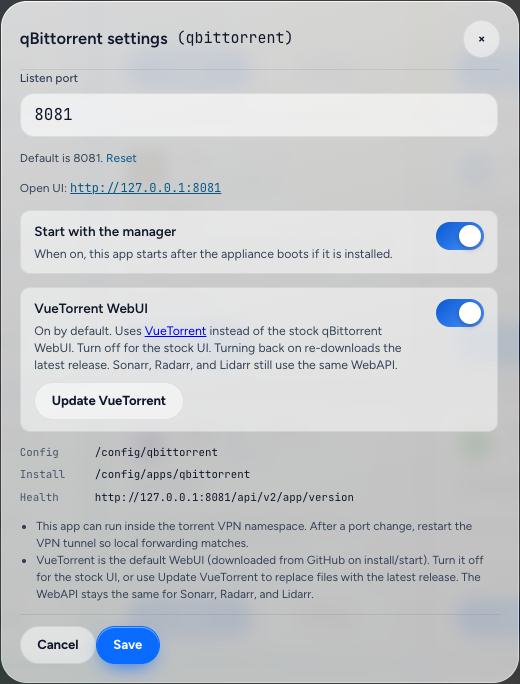
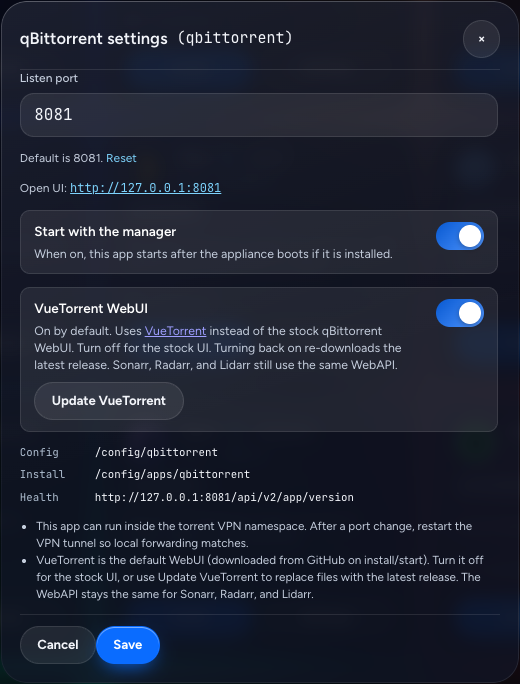
Light is on the left, dark is on the right. Home is empty here because no app with a WebUI is installed yet. Catalog app settings are the dialog opened from a catalog card (this one is qBittorrent).
Account
| Light | Dark |
|---|---|
 |
 |
Visuals
| Light | Dark |
|---|---|
 |
 |
System
| Light | Dark |
|---|---|
 |
 |
Updates
| Light | Dark |
|---|---|
 |
 |
Backups
| Light | Dark |
|---|---|
 |
 |
Network
| Light | Dark |
|---|---|
 |
 |
Notifications
| Light | Dark |
|---|---|
 |
 |
Usenet
| Light | Dark |
|---|---|
 |
 |
Homepage
| Light | Dark |
|---|---|
 |
 |
Diagnostics
| Light | Dark |
|---|---|
 |
 |
Catalog app settings
| Light | Dark |
|---|---|
 |
 |
Backups
- Use the built-in backup feature when you have a setup you like.
- Also back up the config folder on the host (and the backups mount if you use one).
- Media files are separate — back those up with your normal NAS/disk strategy.
Updating apps vs updating AIO
| What | How |
|---|---|
| AIO itself (dashboard + supervisor) | Pull a new Docker image and recreate the container (Install). Settings → Updates only tells you when :latest moved |
| Installed apps (Sonarr, Seerr, and the rest) | Settings → Updates. Update one app or all of them. Progress shows there, and Catalog and Home show Updating…. The dashboard keeps answering. Schedules default to off |
The image does not bump those apps on its own. Read release notes on GitHub if something major changed.
Common snags
| Problem | Try this |
|---|---|
| Blank or login loop on an app | Clear site data for that URL; confirm the app is running |
| NeutArr asks for a setup token | Catalog → NeutArr → Settings after NeutArr is running. The token is removed once the NeutArr account exists |
| Permission errors writing files | Host folder owner must match the container user (PUID/PGID) |
| Sonarr imports but duplicates files | Downloads and media must share one filesystem for hardlinks |
| Works at home, not on phone data | Need Tunnel (+ ideally Access); LAN IPs are not reachable from mobile data |
| Two Sonarrs fighting | Remove any extra Sonarr container; only AIO should run it |
| Server graph counts only this container | Mount host /sys read-only at /host/sys and recreate (Docker) |
| Jellyfin recently added looks short | Scroll the rail — it loads further pages. If the rail stays empty, set a Jellyfin API key under Settings → Homepage |
| Plex recently added stops at 20 | That list is Plex's latest 20 |
| qBittorrent / Prowlarr / Flaresolverr stay stopped after boot | VPN is on without a live handshake. Check Settings → Network; AIO retries the tunnel and starts those apps when it is up. A manual VPN Stop cancels the retry |
| Prowlarr indexers unavailable / RSS failures | Often a DNS timeout through the VPN. After updating AIO, recreate the container, then Test All in Prowlarr (and re-test in Sonarr/Radarr) so the old failure backoff clears. A debug share shows VPN DNS cache hits and per-resolver failures |
| cloudflared logs connection refused at boot | Expected on older images when the tunnel started before apps. Current images start Cloudflare last; recreate from a current nightly / latest |
Next steps
- New install checklist: Install
- Remote access: Cloudflare Tunnel
- Lock the door on public URLs: Cloudflare Access
Donate
🤖 AI writes some code. I break it. We fix it together.
Can’t spare a few bucks? Drop a star on GitHub instead. It feeds the ego, and that’s almost as good.